How to Build a Notary Website That Actually Gets You Clients (2026)
A step by step guide to building a mobile notary website that brings in real clients, from choosing a domain to the exact pages, copy, and contact setup that convert searchers into booked signings.
Introduction
Most notary websites are digital business cards. They exist, they look fine, and they bring in almost nothing. A website that actually generates signings is built differently, and the difference has very little to do with how pretty it looks.
This guide walks through building a notary website from scratch, with the specific decisions that determine whether it sits invisible or brings you booked appointments.
First, decide what the website is for
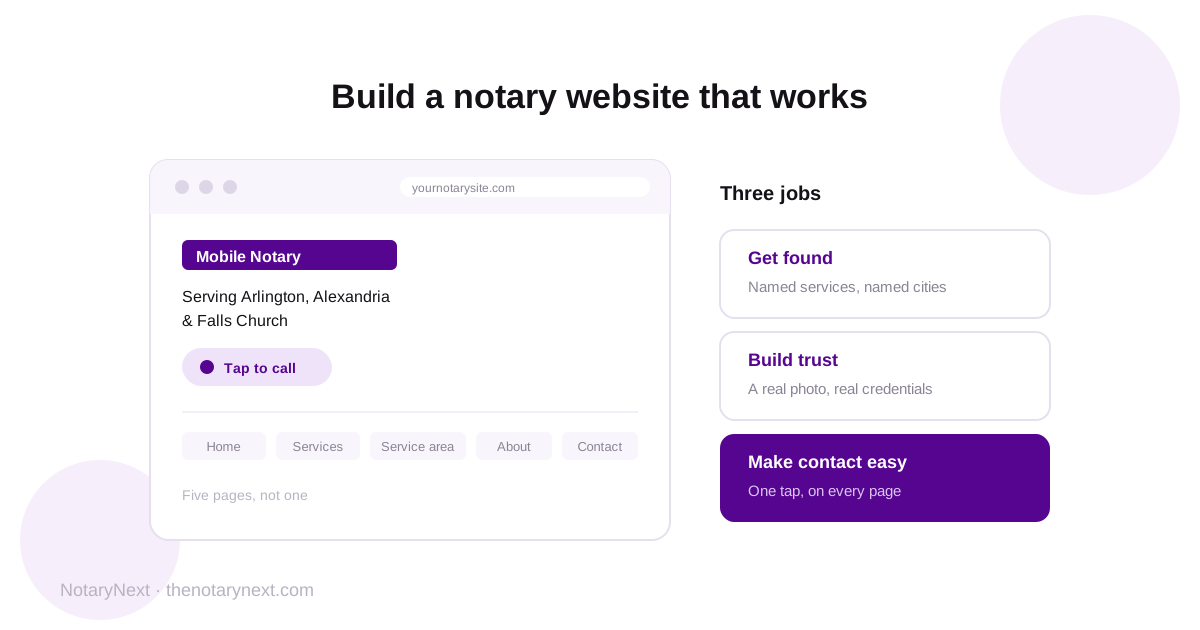
Before choosing a platform or a template, get clear on the job. A notary website has exactly three jobs:
Get found when someone searches for a notary in your area
Build trust fast, because you are asking a stranger to invite you into their home with legal documents
Make contact effortless, because a person with a document problem is impatient and often stressed
Every decision below serves one of those three. If a design choice does not serve one of them, it is decoration.
Step 1: Choose your domain name
Your domain is your address, and short and memorable beats clever. A few guidelines:
Use your business name if you have one, or your name plus your service. Something like yourlastnamenotary.com or citynotaryservices.com.
Consider including your city if you serve one primary area. This helps people recognize you as local, and it can support your local search visibility.
Keep it short and easy to say out loud, because you will read it over the phone constantly.
Stick with a .com if you can. It is what people default to typing.
Avoid hyphens, numbers, and words people have to spell twice. If you have to say "with no space, and a dash in the middle," pick another one.
Step 2: Pick a platform you can actually maintain
You do not need a developer. Platforms like Squarespace, Wix, Framer, and WordPress all produce sites that rank perfectly well. What matters more than the platform:
Can you update it yourself? You will need to change service areas, add services, and post content. If every edit requires hiring someone, your site will go stale.
Is it fast and mobile friendly by default? Most clients will find you on a phone.
Can you control the page title and description? This is non negotiable for search visibility and some cheap website builders make it hard.
Pick the one you will actually log into. A simple site you maintain beats a beautiful one you abandon.
Step 3: Build these pages, in this order
Most notary websites are one page. That is the single biggest reason they do not rank, because one page gives search engines almost nothing to work with. Build these five:
Home. Who you are, what you do, where you serve, and how to reach you. This page should answer "is this person a mobile notary who covers my area" within three seconds of landing.
Services. List every service separately: mobile notary, loan signing, apostille assistance, hospital and care facility signings, estate planning documents, RON if you offer it. Each named service is a chance to match a specific search.
Service area. Name the cities, counties, and neighborhoods you cover. This is one of the most commonly skipped pages and one of the most valuable, because searches are local and machines cannot guess where you drive.
About. Your commission, your experience, your certifications, your background check status, and a real photo of you. Trust matters enormously in this business, and a face does more work than three paragraphs of copy.
Contact. Phone, email, a simple form, your hours, and your service area repeated. Make it impossible to miss.
Add an FAQ page as soon as you can. It answers the questions clients actually ask and, increasingly, it is what AI assistants quote when someone asks them to find a notary.
Step 4: Write copy that converts a stressed searcher
The person landing on your site usually has a deadline and some anxiety. Write for them:
Lead with what you do and where. "Mobile notary serving Arlington, Alexandria, and Falls Church" beats "Welcome to our website."
Say you travel to them, and say when. Evening and weekend availability is a genuine competitive advantage and most notary sites bury it.
Name your services in plain words people search for, not industry shorthand.
Address the worry. Commissioned, insured, background checked, experienced with loan packages. Say it plainly.
Repeat your phone number on every page.
Skip the stock photos of handshakes. A real photo of you, your stamp, and your setup builds more trust than any stock image ever will.
Step 5: Set up contact so it converts
This is where a surprising number of notary websites lose real money:
Make your phone number a tap to call link on mobile. If someone has to copy and paste it, some of them will not.
Put it in the header so it appears on every page without scrolling.
Keep the contact form short. Name, phone, what they need, when. Every extra field loses people.
Respond fast. Notary needs are urgent. The notary who answers first often gets the job, regardless of who has a nicer website.
Step 6: Handle the basics that decide whether you get found
A beautiful site nobody sees is a hobby. Get these right from day one:
Write a real page title for every page. "Mobile Notary in Arlington, VA" beats "Home."
Write a meta description for every page, which is your pitch in the search results.
Name your cities in your actual page text, not just in an image.
Add schema markup, structured data that hands your business details to search engines and AI in a format they read natively. Almost no notary sites have it.
Link your Google Business Profile to your site and your site to your profile. Your profile is arguably more important than your website for local visibility. (Setup guide here.)
Make sure it loads fast on a phone. Compress your images.
More detail on each of these in our guide to notary website optimization.
Step 7: Add content so you keep showing up
A static five page site will only ever rank for a handful of searches. Publishing useful content, answering the questions your clients ask, gives search engines more reasons to show you and gives AI assistants more to quote. Write about what you know: what documents need notarizing, what ID people need to bring, how apostilles work, what a loan signing appointment is like.
If writing is not your thing, this is exactly why we built AI powered blog generation into NotaryNext, so you can publish optimized posts for your notary website in minutes instead of evenings.
Step 8: Know where your site actually stands
Once your site is live, the hard part is knowing what is missing, because most notaries cannot see their own gaps. Our Visibility Score scans your site across 12 factors that decide whether search engines and AI assistants can find, read, and recommend you, then gives you a score and a ranked fix list in plain English. Most of the fixes are small edits rather than projects.
You can check it free during your 14 day trial, along with everything else NotaryNext does to run your notary business: scheduling, automatic invoicing, payment follow ups, and review requests after every signing.
The bottom line
A notary website that works is not a design project, it is a findability project. Five focused pages, copy that names your services and your cities, contact that takes one tap, the technical basics that let machines read you, and content that keeps you visible. Build that, keep it updated, and your website becomes what most notary sites never are: a source of clients rather than a place to send them after you have already met.
Related: Notary website optimization · The 12 factors that decide if clients find your website · Google Business Profile for notaries


